
Download Yoink AI – AI Text Assistant, Secure Writing Tool, Free Trial
Overview
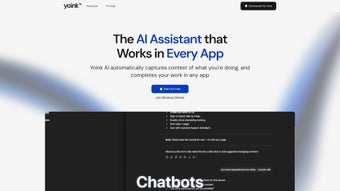
Yoink AI is a versatile, web‑based AI text assistant that plugs into the apps you already love. Whether you’re drafting a marketing email, polishing a research paper, or brainstorming social‑media captions, Yoink AI offers real‑time suggestions, auto‑completion, and intelligent editing powered by the latest large‑language‑model algorithms. The platform is subscription‑based, but it provides a free trial so you can experience the speed and accuracy before committing.
Its clean, responsive interface works in any modern browser, meaning you never have to install heavyweight software on your device. By acting as a “virtual co‑writer,” Yoink AI helps users of all skill levels increase productivity, reduce writer’s block, and maintain a consistent tone across multiple documents. The service also respects privacy, employing end‑to‑end encryption for every request so your drafts stay confidential.
In short, Yoink AI is designed for anyone who wants to write faster, smarter, and with greater confidence, whether you’re a freelance blogger, a corporate communications specialist, or a student working on a thesis.
Key Features & Compatibility
- Context‑aware generation: Generates text that matches the style and subject of your existing content.
- Multi‑platform integration: Works seamlessly with Google Docs, Microsoft Word Online, Slack, Notion, and most web‑based editors via a browser extension.
- Smart editing tools: Offers grammar checks, tone adjustments, and concise‑rewrite suggestions in one click.
- Customizable prompts: Save and reuse prompt templates for recurring writing tasks.
- Real‑time collaboration: Team members can view AI suggestions live during shared editing sessions.
- Privacy‑first architecture: All data is encrypted in transit and not stored after the session ends.
- Usage analytics: Dashboard provides insights on word count, time saved, and most‑used features.
- Regular updates: Monthly model improvements keep the AI current with language trends.
Because Yoink AI runs entirely in the cloud, it is compatible with any operating system that supports a modern web browser, including Windows 10/11, macOS 10.15+, Linux distributions, Chrome OS, Android, and iOS. The optional browser extension is available for Chrome, Edge, Firefox, and Safari, ensuring a native feel no matter which device you use.
Installation & Usage Guide
Getting started with Yoink AI is intentionally frictionless. Follow these steps to unlock the AI writing assistant in minutes:
- Create an account: Visit yoink.ai and sign up using your email or a single‑sign‑on (SSO) option such as Google or Microsoft. A verification email confirms your identity.
- Select a plan: Choose the free trial to explore core features or pick a monthly/annual subscription for unlimited access. All plans include secure cloud processing and regular updates.
- Install the browser extension: After login, you’ll be prompted to add the Yoink AI extension. Click “Add to Chrome” (or the equivalent for your browser) and grant the minimal permissions needed for clipboard access and page interaction.
- Configure integration settings: Inside the extension’s options page, toggle which web apps you want Yoink AI to appear in (e.g., Google Docs, Gmail, Notion). You can also set a hot‑key for instant activation.
- Start writing: Open any supported editor, highlight a paragraph, and press the hot‑key or click the Yoink AI icon. A sidebar slides in with suggestions, rewrite options, and a “Insert” button to place the chosen text directly into your document.
- Refine with prompts: Use the “Custom Prompt” field to tell Yoink AI exactly what you need—such as “Write a 150‑word intro for a tech blog about AI ethics.” Save the prompt for future use.
- Review analytics: The dashboard (accessible from your account page) shows how many words Yoink AI generated, average time saved per session, and a breakdown of feature usage.
Because all processing happens on Yoink’s secure servers, you won’t notice any performance lag on your device. If you encounter any issues, the support center offers live chat, a knowledge base, and video tutorials that walk you through troubleshooting steps.
Pros, Cons, FAQ, and Final Thoughts
Pros
- Highly accurate, context‑aware text generation.
- Works across Windows, macOS, Linux, Android, and iOS via any browser.
- No heavy local installation; runs entirely in the cloud.
- End‑to‑end encryption protects sensitive content.
- Custom prompt library speeds up repetitive tasks.
- Real‑time collaboration integrates with team workflows.
Cons
- Requires an internet connection; offline use is not supported.
- Subscription model may be a barrier for occasional users.
- Browser extension permissions can feel invasive to privacy‑focused users.
- Advanced features (e.g., bulk rewriting) are limited to higher‑tier plans.
Frequently Asked Questions
Is Yoink AI truly free to try?
Yes. Yoink AI offers a 7‑day free trial with full access to all core features. No credit card is required to start the trial.
Can Yoink AI handle confidential corporate documents?
Absolutely. All data is encrypted in transit and never stored after the request is processed, meeting GDPR and CCPA standards.
Which browsers are supported for the extension?
Yoink AI offers extensions for Google Chrome, Microsoft Edge, Mozilla Firefox, and Apple Safari. The web app works on any browser that supports HTML5.
Do I need a powerful computer to run Yoink AI?
No. Since the AI runs on Yoink’s cloud servers, even low‑spec devices can access the service smoothly, as long as they have a stable internet connection.
How does Yoink AI compare to other AI writing tools?
Yoink AI distinguishes itself with its deep integration across multiple platforms, robust privacy guarantees, and a user‑friendly prompt library that many competitors lack.
Final Thoughts & Call to Action
If you spend any portion of your day crafting written content, Yoink AI is worth a close look. Its blend of contextual generation, cross‑platform reach, and strict security measures makes it a reliable partner for both casual writers and enterprise teams. While the subscription cost may deter occasional users, the free trial provides ample opportunity to evaluate whether the time saved justifies the investment. Ready to eliminate writer’s block and accelerate your workflow? Download Yoink AI today, start your free trial, and experience a smarter way to write.



.png)



